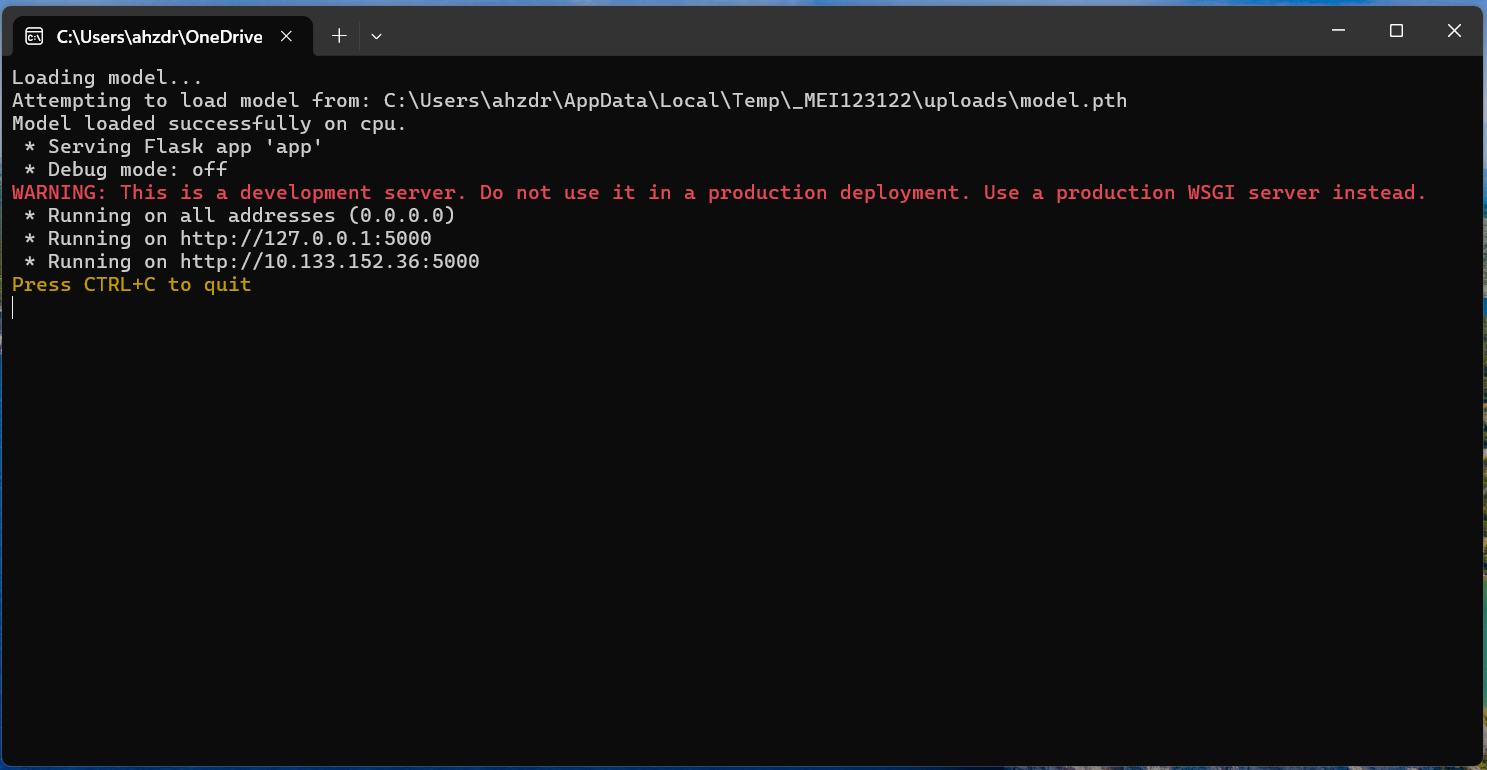
How to Run the Application
Attention: The password for the RAR file is mentioned in the
Software Availability section of the paper.
Step 1: Run the .exe File
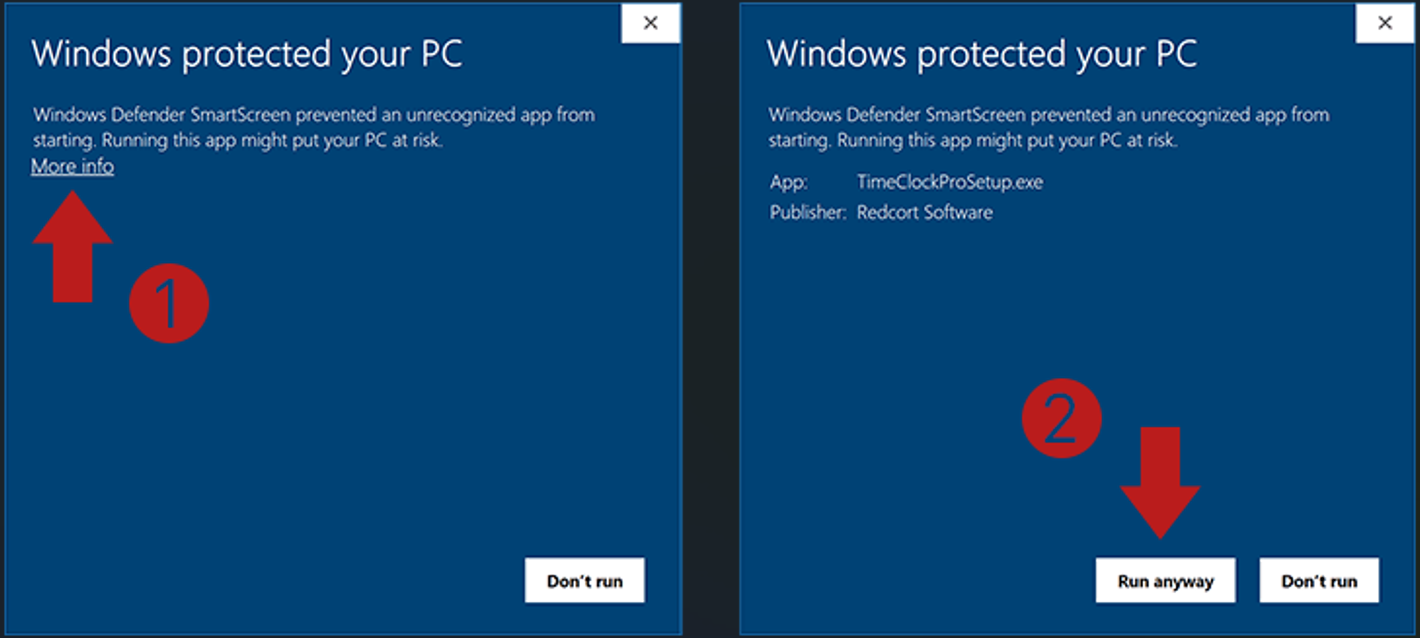
On the security screen, click "More info," then "Run anyway."
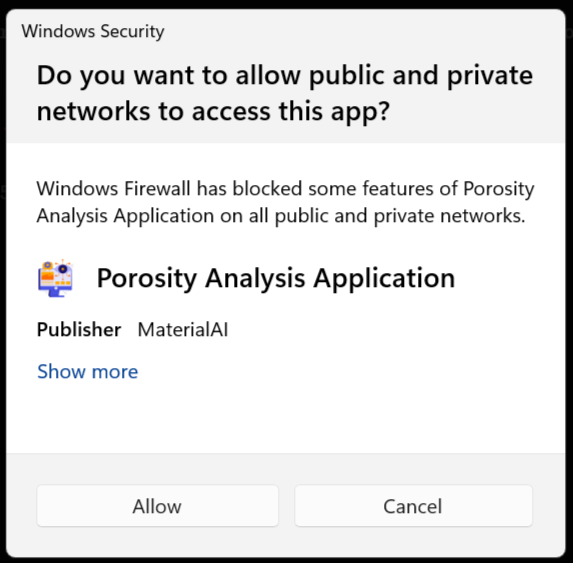
Step 2: Allow Network access
Click the "Allow" button.
Step 3: Open in Your Browser
The application is now running. Open your browser and navigate to: http://127.0.0.1:5000/